

Human Review in AI Automation: What Should Stay Manual?
10/13/2026
By Team Nevara | Published 13 October 2026
AI automation does not have to mean removing people from every decision. In many workflows, the safer and more useful design is to let software handle routine work while a person reviews exceptions, high-impact actions or uncertain outputs.
The goal is not to add approval steps everywhere. It is to place human judgment where an error would be difficult, expensive or unfair to reverse, then give the reviewer enough context and authority to make a real decision.
This guide fits after you map the process, document the automation requirements and plan the system integrations. It helps decide which actions can run automatically and which should pause for review.
Human review is a control, not a sign of failure
A good human-review step has a defined purpose. It might verify an unusual invoice, approve a refund above a limit, check an AI-written response involving a complaint, or confirm that a document belongs to the correct customer before data is updated.
A vague rule such as “a manager checks important cases” is not enough. The workflow needs to define what makes a case important, who can review it, what evidence they see, how quickly they must respond and what happens if nobody is available.
The NIST AI Risk Management Framework Playbook treats governance, measurement and management as connected activities. Its governance guidance calls for documented responsibilities, review processes, monitoring, incident response, and ways for people to appeal or override problematic outcomes. That is a useful operating model even when a business is starting with one modest workflow.
1. Classify the decision before choosing the review model
Start with the action the automation may take, not with the model or software vendor. Score each action using four practical questions.
- Impact: Could a wrong result affect money, employment, access to a service, safety, legal rights, reputation or a customer relationship?
- Reversibility: Can the action be corrected quickly without lasting harm, or does it create a difficult commitment?
- Uncertainty: Does the system produce a reliable rule-based answer, or an estimate, classification or generated response that can vary?
- Sensitivity: Does the decision use personal, confidential, financial, health or other restricted information?
High impact, low reversibility, high uncertainty or sensitive data should move a decision toward stronger human review. Low-impact, reversible and well-tested actions are better candidates for full automation.
This is a business risk decision. It is not legal advice. Sector-specific rules, contracts and local law may require additional controls.
2. Choose one of three operating modes
Most workflows can be designed around three simple modes. Mixing them within one process is often better than forcing every case through the same path.
Automatic action
The system completes the task without prior approval. Use this for low-risk, reversible work with clear rules, such as categorising a routine enquiry, drafting an internal summary, or sending a receipt after a confirmed transaction. Monitoring and an audit record are still required.
Review by exception
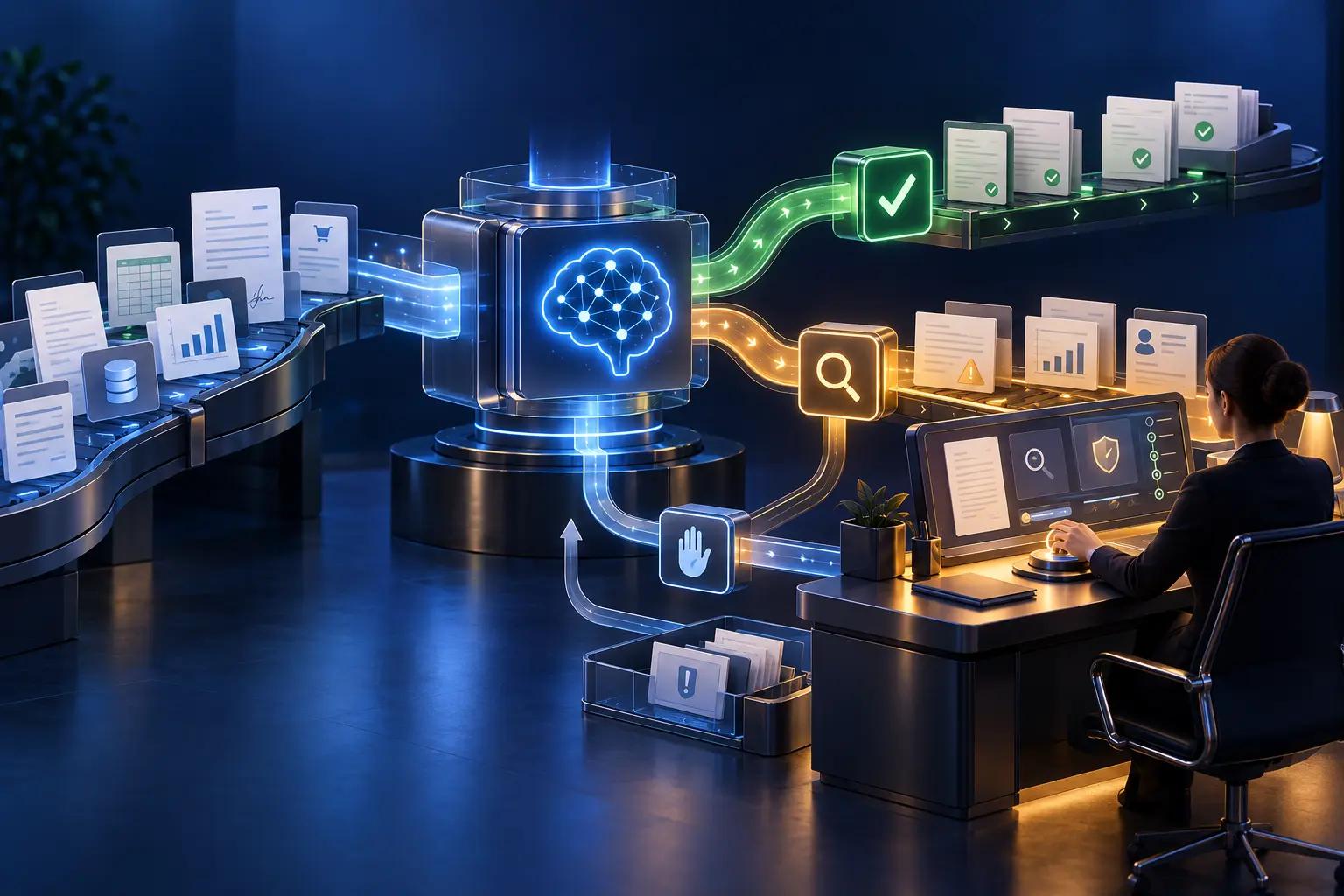
The system completes normal cases and pauses only when a rule, confidence threshold or anomaly is triggered. This is often the best balance for invoice extraction, lead routing, document classification and customer-service triage.
Approval before action
Every proposed action waits for an authorised person. Reserve this for decisions where a mistake carries material consequences, such as releasing a large payment, rejecting an application, changing employment status or sending sensitive advice.
3. Define the exact review triggers
A reviewer should not have to guess why a case reached them. Create explicit triggers that can be tested.
- The amount exceeds an approved financial limit.
- Required fields or supporting documents are missing.
- The result conflicts with a business rule or another system.
- The AI confidence score falls below a validated threshold.
- The customer disputes the result or requests a person.
- The case involves a restricted category, sensitive data or a high-risk action.
- The same item has failed, changed or been retried more than the allowed number of times.
Do not copy a confidence threshold from a product demo. Test it against representative cases and review both false approvals and unnecessary escalations. The useful threshold is the one that fits the consequences and workload of your process.
4. Give reviewers the information needed to decide
Human review becomes theatre when the person only sees an “approve” button. The review screen should explain the case in plain language and make supporting evidence easy to inspect.
- The original source data, not only an AI summary
- The proposed action and the business rule it affects
- Why the case was escalated
- Relevant history, attachments and system records
- Known uncertainty, missing information and model limitations
- Clear choices to approve, edit, reject, request information or escalate
The UK Information Commissioner’s Office guidance on explaining decisions made with AI recommends designing systems so relevant information can be extracted and translated into useful reasons. The guidance is under review following changes in UK law, so organisations should confirm current requirements for their context.
5. Make the reviewer capable of changing the outcome
A reviewer needs more than visibility. They need suitable training, enough time, access to evidence and authority to disagree with the system. If staff are expected to approve the recommendation by default, the control is not meaningful.
Define who can override which actions, when a second approver is required and when the case must move to a specialist. Include a route for the affected customer or employee to challenge the outcome where appropriate.
For decisions affecting individuals, the joint UK government guidance on explaining decisions made with AI provides a useful starting point for planning explanations, responsibilities and communication. Applicable obligations still depend on the decision and jurisdiction.
6. Design the queue for real operating conditions
A review queue is part of the service, not an administrative afterthought. Set an owner, response target, priority order and backup reviewer. Decide what happens overnight, during leave and when volume suddenly rises.
Track queue size, oldest-item age, review time, approval rate, override rate and common escalation reasons. If every case needs manual correction, the automation is not ready. If almost nothing is reviewed, confirm that the triggers are not too weak.
After launch, include these measures in the wider automation monitoring plan rather than reporting only how many tasks the system processed.
7. Keep an audit trail and a safe fallback
Record the input, system recommendation, trigger, reviewer, evidence viewed, decision, edits, reason, time and final downstream result. Protect the log from unauthorised changes and set an appropriate retention policy.
Create a fallback for outages or uncertain behaviour. Depending on the process, that may mean stopping automatic actions, returning all cases to manual handling, using a last-known rule set or holding items safely until service is restored. The fallback should be tested before it is needed.
8. Test the people and the workflow together
Technical accuracy alone does not prove that human review will work. A pilot should include normal cases, boundary cases, missing information, misleading inputs, duplicates, conflicting records, delayed reviewers and deliberate mistakes.
Observe whether reviewers understand the explanation, find the evidence, notice the error and use the correct override. Measure the full time from escalation to resolved action. Then adjust the triggers, screen, training and staffing before wider rollout.
Use the automation pilot testing guide to plan the wider test, including acceptance criteria and rollback.
Illustrative example: AI-assisted invoice processing
Consider a fictional distributor processing supplier invoices. This example is illustrative and is not a Nevara client result.
- The system extracts supplier, purchase order, amount, tax and bank details from each invoice.
- Invoices with a recognised supplier, matching purchase order, expected totals and unchanged bank details move to the normal finance queue.
- A mismatch, missing purchase order, duplicate invoice number, changed bank account or amount above the approval limit creates a review case.
- The reviewer sees the original invoice, extracted fields, purchase-order record, previous supplier details and the exact reason for escalation.
- The reviewer can correct data, reject the invoice, request information or send a high-value case to a second approver. Every action is logged.
This design does not ask a person to recheck every field on every invoice. It concentrates human attention on the cases where context and authority matter.
A practical human-review checklist
- Each automated action has an impact, reversibility, uncertainty and sensitivity rating.
- The automatic, exception-review and prior-approval paths are documented.
- Escalation triggers are measurable and tested with representative cases.
- Reviewers can inspect source evidence and understand why a case was escalated.
- Reviewers have training, time and authority to change the outcome.
- Customers or staff have an appropriate route to challenge important outcomes.
- Queues have owners, response targets, backup coverage and overload rules.
- Decisions, edits, overrides and final outcomes are logged securely.
- A manual or safe-stop fallback has been tested.
- Monitoring measures both system performance and human-review performance.
Frequently asked questions
Does every AI automation need human approval?
No. Low-risk and reversible actions can often run automatically when rules, testing, monitoring and recovery are adequate. Human review should increase with impact, uncertainty, sensitivity and difficulty of reversal.
Is a confidence score enough to trigger review?
Not by itself. Confidence can be one signal, but business rules, financial limits, missing evidence, sensitive categories, customer disputes and unusual patterns may be equally important.
What is the difference between human in the loop and human on the loop?
Human in the loop usually means a person participates in the decision before the action is completed. Human on the loop usually means the system acts while a person monitors, reviews exceptions and can intervene. The right model depends on risk and reversibility.
How do we stop reviewers from approving everything?
Show the source evidence, explain the escalation, require a reason for material decisions, test reviewer performance, sample approved cases and give reviewers genuine authority and sufficient time.
Can human review be added after launch?
It can, but designing it early is safer. Late changes may require new data, permissions, screens, logs, queues and service commitments that the original architecture did not support.
Build the control before scaling the automation
The strongest automation is not the one that removes the most people. It is the one that handles routine work reliably, recognises its limits and brings the right person into the right decision with usable evidence.
Nevara Solutions designs custom AI automation, business software and connected workflows with approvals, exception handling, audit trails and monitoring built around real operating needs. Explore our services or contact us to discuss a workflow that needs a safer path from pilot to production.
